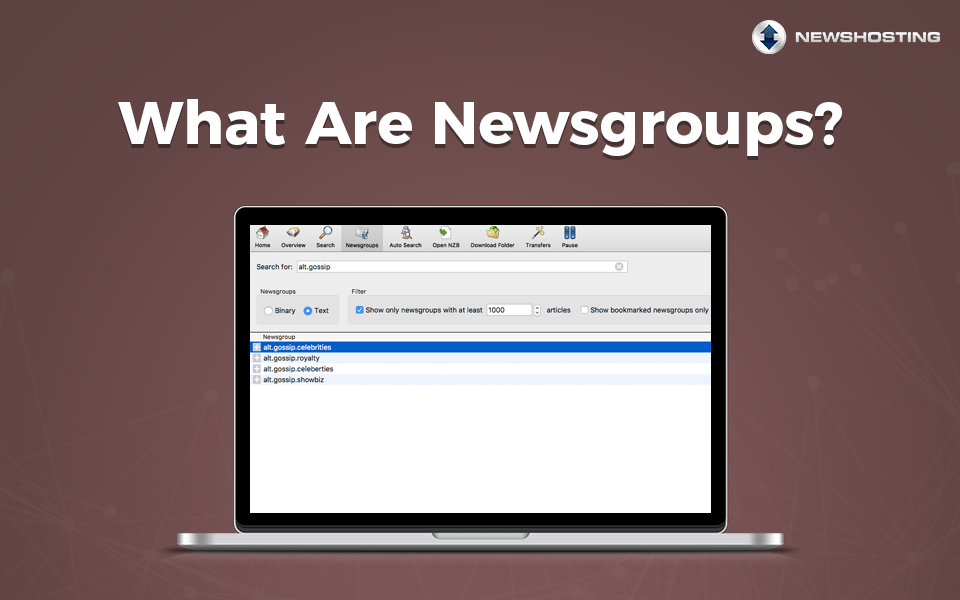
Searching Usenet usually involves a combination of a Usenet provider, a newsreader, and a search method that helps locate specific articles across newsgroups. Most users rely on integrated search tools instead of manually browsing groups article by article.
If you want to know how to search Usenet, the fastest approach is usually to use a newsreader with integrated search, enter keywords or categories, and retrieve matching articles directly from your Usenet provider’s servers.
Understanding the Basics: Newsgroups and the Big 8
Usenet is organized into categories called newsgroups, each focusing on a specific topic. The foundational structure starts with the Big 8 hierarchies:
- – comp.*: Computing and technology
- – sci.*: Science and research
- – rec.*: Recreation and hobbies
- – alt.*: Alternative and niche topics
- – soc.*: Social issues and discussions
- – talk.*: Debates and conversations
- – news.*: News about Usenet itself
- – misc.*: Miscellaneous topics
Newsgroups become more granular from that point, and it’s easy to narrow down your search to exactly what you’re interested in.
Familiarizing yourself with these hierarchies can help you target your searches more effectively. For example, if you’re looking for discussions about programming, starting in the comp.* hierarchy is a logical first step
What Is a Usenet Search Engine?
A Usenet search engine scans and indexes article headers posted to Usenet newsgroups. Instead of manually browsing millions of articles, users can search by keyword, category, age, or other filters.
Unlike a traditional Web search engine that indexes websites and pages, a Usenet search engine focuses specifically on article headers and metadata stored across Usenet newsgroups.
Most search systems do not store the articles themselves. Instead, they organize metadata about articles so a newsreader can locate and retrieve them from Usenet servers.
Modern Usenet search tools often support:
- Keyword searches
- Category filtering
- Date filtering
- Password detection
- Collection and grouping tools
- Bulk retrieval
Some search tools are built directly into newsreaders, while others operate separately through Web-based interfaces.
How to Search Usenet Step by Step
Usenet has been around for decades, but the way people search it has changed significantly over time. Early users often searched by manually opening individual newsgroups and browsing article headers directly inside a newsreader. That process still exists today, but most users now rely on modern search tools that organize and surface results much faster.
Most people search Usenet today using a process like this:
- Choose a Usenet provider with strong article retention and completion rates (like Newshosting).
- Install a newsreader that supports integrated Usenet search.
- Search by keyword, category, or age.
- Retrieve matching articles directly from the newsreader.
Some users also use external Usenet search websites. In those cases, an XML that points to the correct articles is opened in the newsreader to begin retrieval.
Newshosting simplifies this process by combining server access, integrated search, and a pre-configured newsreader into one setup. Instead of manually browsing large newsgroups, users can search across articles directly from the application and begin retrieval immediately.
Searching Usenet with a Newsreader
Many modern newsreaders include built-in Usenet search tools that remove the need for separate search websites.
Newshosting includes integrated search inside its newsreader, allowing users to search Usenet directly from the application. This combines search, article retrieval, server access, and deep article retention into one platform. Because the newsreader comes pre-configured, newer users can begin searching Usenet much faster without manually configuring multiple separate tools.
Integrated search tools are useful because they:
- Reduce setup complexity
- Keep search and retrieval together
- Simplify article management
- Help newer users avoid manual group browsing
- Speed up the process of locating articles
Some newsreaders still support traditional header downloads and manual browsing for users who prefer a more classic Usenet workflow.
Using an Independent Indexer
An Indexer is a third-party service that simplifies Usenet searches by compiling articles into searchable databases. These platforms allow users to access a broad range of articles from multiple newsgroups and provide advanced tools for refining searches. With features like Boolean operators—such as AND, OR, and NOT—you can combine terms to create highly specific queries. Additionally, Indexers often include metadata filtering options, enabling you to narrow your results by publication date, article author, or newsgroup category. By leveraging these capabilities, Indexers help streamline the search process, making it easier to navigate Usenet’s articles and discussions.
Navigating with the Best Usenet Search Engines
Independent Usenet search engines are indispensable for uncovering specific information. Look for engines that provide advanced search capabilities and user-friendly interfaces. Many search engines also allow you to preview article summaries, so you can confirm relevance before accessing full articles.
Manual Browsing vs Modern Usenet Search
Manual browsing still works on Usenet, but it is far less common than it once was.
In the past, users often entered specific newsgroups and searched article headers manually. This approach could work well in smaller groups, but modern Usenet includes an enormous volume of articles across thousands of groups.
Modern search tools dramatically reduce the amount of manual work required. Instead of opening groups one at a time, users can search large indexes in seconds.
That shift is one reason integrated search has become one of the most important features in modern newsreaders.
Newsreader Included with Newshosting: Built-In Usenet Search Benefits
For those who prefer an all-in-one solution, the Newshosting newsreader includes a powerful built-in search engine that integrates seamlessly into your browsing experience. This tool offers:
- – Quick Access: Easily locate relevant articles without relying on external tools.
- – Intuitive Filters: Refine searches by keywords, dates, and newsgroup categories.
- – Global Availability: Access from any device connected to the Internet.
The Newshosting newsreader simplifies the process for users of all experience levels, making it an ideal choice for beginners exploring Usenet’s vast potential.
Why Article Retention Matters When You Search Usenet
Search quality depends heavily on article retention.
Article retention refers to how long articles remain available on a Usenet provider’s servers. Higher article retention means older articles remain searchable and accessible for longer periods of time.
Newshosting offers 6622+ days of article retention across all newsgroups along with a 99.99% completion rate. This gives users access to one of the deepest searchable article archives available on Usenet.
What Makes Usenet Search Fast?
Several factors affect how quickly search results appear and how efficiently articles are retrieved:
- Search index quality
- Newsreader performance
- Server speed
- Completion rates
- Article retention depth
- Connection settings
- Server proximity
The search itself is usually very fast because modern search engines only scan indexed article metadata instead of the full articles.
Retrieval speed depends more heavily on the Usenet provider and the user’s connection settings.
Features like NNTP pipelining can also improve performance in higher-latency environments by reducing communication delays between the newsreader and Usenet servers. Newshosting supports NNTP pipelining, which is only available in SABnzbd as of the time of this writing.
Common Problems When Searching Usenet
Several issues can affect search results:
Incomplete Articles
If a provider has lower completion rates, some articles may be missing or unavailable.
Limited Article Retention
Older articles may no longer exist on providers with shorter article retention.
Poor Search Indexing
Some search engines organize articles better than others.
Incorrect Search Terms
Broad or vague searches can produce inconsistent results.
Slow Retrieval Speeds
Connection limits, routing distance, or lower server quality can affect retrieval performance.
Usenet Search Tips for Success
To make your searches more efficient, consider these best practices:
- – Start Specific: Use precise keywords to avoid an overwhelming number of results.
- – Explore Boolean Logic: Combine terms with AND, OR, or NOT for focused results.
- – Leverage Filters: Narrow results by date or topic to save time.
- – Understand Hierarchies: Target the correct category to locate relevant discussions.
With the right tools and strategies, searching Usenet becomes a straightforward and rewarding process. Whether using an independent Usenet search engine or the integrated tools in the Newshosting newsreader, you’ll quickly uncover the wealth of knowledge this platform has to offer.
Search Usenet More Efficiently with Newshosting
Modern search is significantly easier than it used to be. Integrated tools and advanced newsreaders have reduced much of the manual work that older Usenet setups required.
Newshosting combines high article retention, fast server access, integrated search, and a pre-configured newsreader into a single platform. Instead of piecing together multiple tools, users can search Usenet, retrieve articles, and manage their setup from one interface.
For users who want a simpler way to search Usenet while still maintaining access to deep article retention and high completion rates, Newshosting provides one of the most complete setups available.
Frequently Asked Questions
Yes. Usenet search focuses on indexed article headers from newsgroups rather than standard Web pages.
Not always. Some newsreaders include integrated Usenet search tools directly inside the application.
Higher article retention allows older articles to remain searchable and available for retrieval longer.
Yes. Many newsreaders still support manual group browsing and header retrieval.
For most users, the easiest method is using a newsreader with integrated Usenet search that allows searching and retrieval from the same interface.
No. Some providers only offer server access, while others include built-in search tools and newsreaders.